
Unifying 2 Museums in 1 Website
Overview
The Pittsburgh Children's Museum and MuseumLab are two separate museum spaces operated by the same organization, but their websites looked and felt entirely unrelated. Tickets purchased for one granted access to both, yet users frequently didn't know the two were connected. My team was tasked with redesigning the website to clearly communicate the relationship between the museums while serving the very different needs of their users.
Role
Challenge
Research
User Archetypes, Heuristic Evaluation, Card Sorting
User Archetypes
Planning Parents
Need safety info, ticket pricing, hours, and a sense that the museum is fun and age-appropriate for their children. Want to plan efficiently before arrival.
Educators/Group Leaders
Need field trip logistics, educational alignment, bulk ticketing, and resource materials.
Children
Need the site to feel exciting and age-appropriate; content must be visual and easy to understand.
Members/Supporting Members
Need easy access to member benefits, upcoming events, and ways to give feedback.
Heuristic Analysis


The 2 websites looked unrelated in visual design
Users had no visual signal they were under the same organization
No unified home page communicated both museums together
Navigation labels and links overlapped in confusing ways
"Visit" and "Explore" and "Plan Your Event" all appeared as top-level items with unclear distinctions
Many links on the MuseumLab site redirected to the Children's Museum site (because tickets covered both), but this was unexplained and confusing
Card Sorting

Wrote each user archetype's needs onto individual cards and grouped them by theme to understand how information should be organized across the unified site.
The vast majority of user needs were shared between both museums.
Only exhibitions and special events were truly museum-specific.
This insight directly drove the split homepage design: shared information lives in a unified layout, museum-specific content is separated only where necessary.
Most user needs were shared across both museums.
Card sorting revealed that visitors primarily sought the same information—hours, tickets, exhibits, events, and planning resources—regardless of which museum they intended to visit. Only a small subset of content was museum-specific, supporting a unified information architecture rather than two separate website experiences.
Designing a Unified Experience
Built a full site map from card sorting results, organizing the site into: Home, Exhibition (museum-specific), Special Events (museum-specific), Plan Visit, Membership, About, Support, Contact. Ticket access was designed to be always-visible in the navigation.

Content Model & Wireframe
Core design decision: A split homepage that places Children's Museum (left) and MuseumLab (right) side-by-side, with distinct visual identities (color, imagery, age target) but unified navigation above and shared content below (Calendar of Events, About the Museums, Plan Your Visit, Seasonal/Special Events).
This design immediately communicates: two museums, one organization, one ticket.


Moodboard

Prototyping Website Design
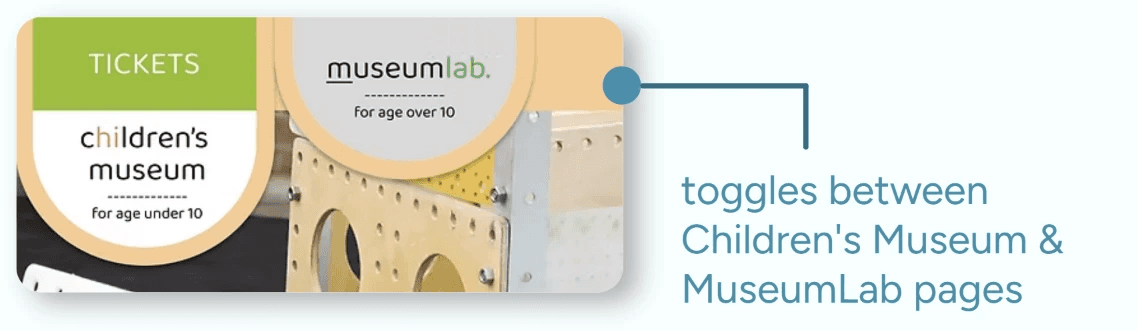
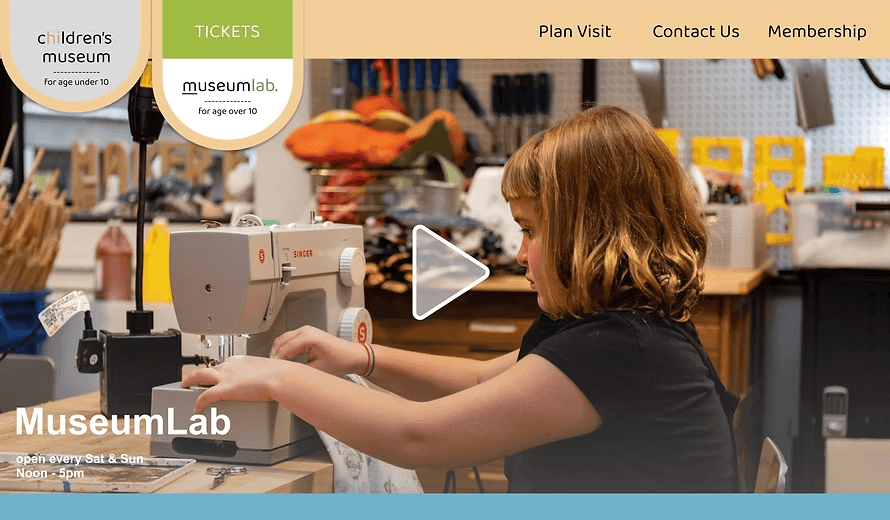
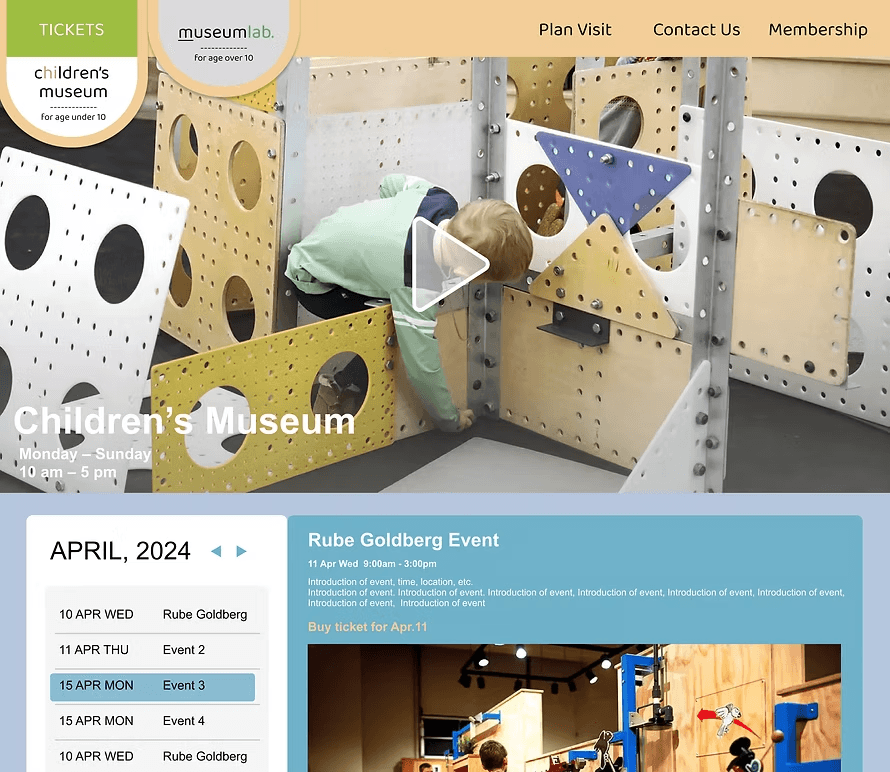
My team decided to create two prototypes: 1 based off of the initial wireframe, and 1 that implemented a toggling tab feature that allowed users to switch between 2 tabs for each museum's information instead of displaying both museums' in 1 homepage.
This was to gain feedback on what users found to be more intuitive to use and visually more organized.

Feedback Insights
Prototype 1A: The split homepage design is intuitive but a bit too distracting with the colors.
Prototype 1B: Toggling aspect would be very useful to use.
Prototype 2
Added an expanding homepage feature — clicking either museum expands to show that museum's specific exhibitions and events, while preserving the unified navigation.

Final Prototype
Toggling Navigation Menu
Toggling Museum Tabs
Clicking Split Homepage to Expand Specified Museum Page
Reflection
This project focused heavily on how to go through the design process from user archetypes, journey mapping, sitemapping, wireframing, and prototyping. Therefore, I felt that I learned how to be confident in my approach to creating designs.
If I had the opportunity to redo this process, I would have integrated more rounds of user testing for the prototypes to enhance the intuitive usability of the website and its navigation.
When my team presented the final prototype in front of several representatives of the Children's Museum of Pittsburgh organization, they responded positively about the features we decided to implement. They were also able to give us constructive feedback on also thinking about what the business needs of the organization might be to help the information hierarchy of the website.